
Bum Bum's toolbox
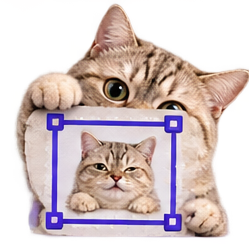
Keep the good part.
Drag a box around the bit you actually want. Bum Bum crops your image right in your browser — your files never leave your device. One action per crop.
Pick an image
✂️
Drop an image here, or pick one below.
PNG is always lossless, so quality only applies to JPG and WebP.
Questions, answered
Do I need an account?
No. Crop as a guest with 15 free actions, or create a free account for 75 actions every month. See pricing.
Do my images upload anywhere?
No. Your files never leave your device. Cropping happens right in your browser.
Can I control the exact crop area?
Yes. Drag a box around exactly the bit you want to keep.
Which formats work?
Anything your browser can open, including JPG, PNG, and WebP.
Cropping images, the short guide
How it works here
Drag a box around the good part and crop, right in your browser. Aspect presets cover the common profile and post shapes, freeform cropping is always there, and you can set an exact crop area instead of eyeballing it. Your files never leave your device. One action per crop.
Crop for the destination
Start from the preset for wherever the image is going, then adjust. Leave a little breathing room around faces: platforms crop their previews their own way, and foreheads pay the price.
Crops that help other tools
A poster photo cropped square-on before Poster to Calendar makes its read noticeably more reliable. Cropping is often the two-minute fix that makes the next tool look smart.
More tiny tools
Image Converter - WebP to PNG, JPG to WebP, whatever to whatever.
Video Trimmer - Drop in a video, mark where the good part starts and ends, and Bum Bum snips it right in your browser.
Screen Recorder - Record your screen right in your browser.