
Bum Bum's toolbox
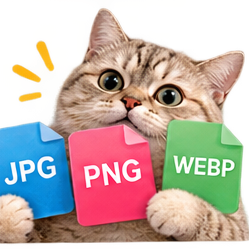
Whatever to whatever.
WebP to PNG, JPG to WebP, PNG to JPG. Bum Bum converts your images right in your browser and hands them back in the format you actually wanted. Your files never leave your device. One action per image converted.
Pick some images
🖼️
Drop images here, or pick them below. Several at once works.
PNG is always lossless, so quality only applies to JPG and WebP.
Questions, answered
Do I need an account?
No. Convert as a guest with 15 free actions, or create a free account for 75 actions every month. See pricing.
Do my images upload anywhere?
No. Your files never leave your device. Conversion happens right in your browser.
Which formats are supported?
WebP, PNG, and JPG, in any direction.
Is there a size limit?
If your browser can open it, Image Converter can convert it.
Converting images, the short guide
How it works here
WebP to PNG, JPG to WebP, PNG to JPG, whatever to whatever, converted right in your browser and handed back in the format you wanted. Your files never leave your device. One action per image converted, and it is batch friendly: line up several images and convert them all the same way. Picking and previewing are free.
The two directions
Convert to WebP to shrink images for your website while keeping them sharp. Convert from WebP when some upload form refuses it: a screenshot stuck as a WebP becomes a friendly PNG here, which is the format every other tool and form on the internet accepts.
Which format when
PNG is the safe default almost everything accepts. JPG suits photos and keeps files small. WebP is the pick for your own website, where the smaller file loads faster and modern browsers all support it.
More tiny tools
Image Cropper - Drag a box around the good part.
Video Trimmer - Drop in a video, mark where the good part starts and ends, and Bum Bum snips it right in your browser.
Screen Recorder - Record your screen right in your browser.