
Bum Bum's toolbox
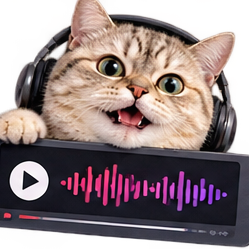
MP3 in. Video out.
Upload an MP3 and a background image. Bum Bum transcribes your audio (or skips it entirely with No captions), you pick a caption style or none at all, and you get a video ready for the feed. Your audio is only transcribed, it is never kept. One finished video uses one action.
1. Your ingredients
Questions, answered
Do I need an account?
No. Make videos as a guest with 15 free actions, or create a free account for 75 actions every month. See pricing.
What happens to my audio?
With captions, it is only transcribed to make them, and never kept. Pick No captions and your audio never leaves your browser at all.
What caption styles are there?
Four caption styles, or No captions: just your image and your sound, with no transcription at all.
What video sizes can I make?
Vertical, square, and widescreen, ready for any feed.
Turning audio into video, the short guide
How it works here
Upload an MP3 and a background image, pick a caption style, and download a captioned MP4 ready for the feed. The transcription that makes the captions is automatic, and your audio is never stored after. Setting up and previewing are free; one finished video uses one action.
Pick the shape first
Vertical for Reels and TikTok, square for feeds. Caption styles and sizes cover the usual formats, but the shape decision comes before all of them. Making the wrong shape twice is the tax everyone pays once.
Readable captions
Choose a background with a calm middle. A busy photo plus animated captions equals nobody reading anything, no matter how good the audio is.
More tiny tools
Screen Recorder - Record your screen right in your browser.
Video Trimmer - Drop in a video, mark where the good part starts and ends, and Bum Bum snips it right in your browser.
Image Converter - WebP to PNG, JPG to WebP, whatever to whatever.