
Bum Bum's toolbox
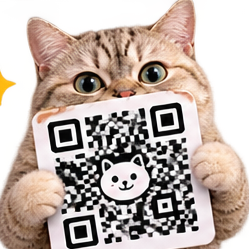
QR codes, but cute.
Your link, dressed up. Soft dots, pretty colors, and a cat in the middle. Preview as much as you like, exporting uses one action. Turn on tracking to see how many times your code gets scanned.
Tip: scan it with your phone camera before you print a hundred of them.
My tracked codes
Questions, answered
Do I need an account?
No. Design as a guest. A free account gets 75 actions every month and saves your tracked codes. See pricing.
Can I track how many times my code is scanned?
Yes. Turn on tracking and QR Code Generator counts every scan.
Can I customize the look?
Yes. Pick from six color palettes or set your own colors, with soft, dots, or classic styles, plus a cat in the middle.
Do the QR codes expire?
No. Your codes work as long as your link does.
QR codes that actually scan, the short guide
How it works here
Your link becomes a branded code: soft dots, pretty colors, and a cat in the middle, ready to print. The code encodes your link and nothing else. Previewing is free; exporting a code uses one action. Codes do not expire, so a printed code keeps working as long as the link does.
Test at the real size
Print one, stick it where it will live, and scan it from a customer's distance. A code that scans beautifully off your monitor can fail off a menu across a table.
Contrast is king
Keep contrast strong between the dots and the background. Pretty colors that sit too close together make a code that looks great and scans never. Tracking is optional and shows scan counts, so a poster or a menu can prove it is working.
More tiny tools
Online Sketchpad - A pocket sketchpad for signatures, diagrams, and masterpieces.
SOP Generator - Paste your chaotic process brain-dump.
Voice to Content - Ramble for a minute, get three hooks, a 60-second script, and a caption ready to post.